Electric guitar
Plug directly into a class-compliant USB audio interface.
The local-first practice OS for electric guitar
Structured practice through your USB audio interface—native, offline, on macOS and Linux.
Electric guitar · USB interface · Wired monitoring
See the loop
A short capture of the real desktop path: monitored input, lesson timeline, event-level review, and the next section to train. Real UI only—no stock-rock theater.
Full motion demo ships with the packaged public beta. Until then, these are real app-flow captures from the desktop build.
One connected loop
GuitarGod keeps the expected lesson, your dry take, measured events, and next drill connected instead of scattering practice across unrelated tools.
Select your USB audio interface and hear a measured, monitored signal.
Follow an expected timeline, loop the hard part, and record a dry take.
Compare pitch and timing against the lesson instead of guessing.
Keep evidence, tempo ceilings, and due skills ready for the next session.
The practice desk
The core surfaces share one local evidence model, so a timing miss in Lesson Player can become a precise retry in Session Review and a due skill in Progress Analytics.
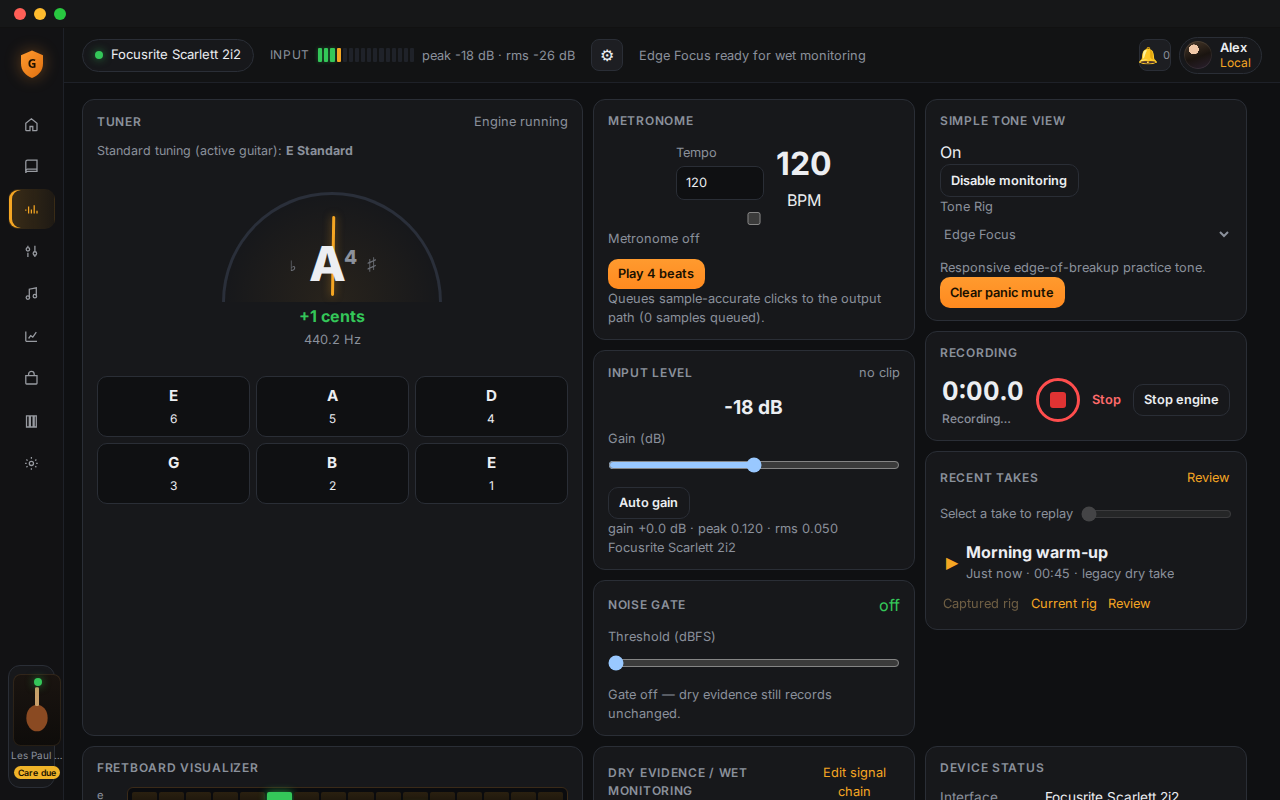
Tuner, metronome, monitoring, gain, recording, replay, and your recent takes.
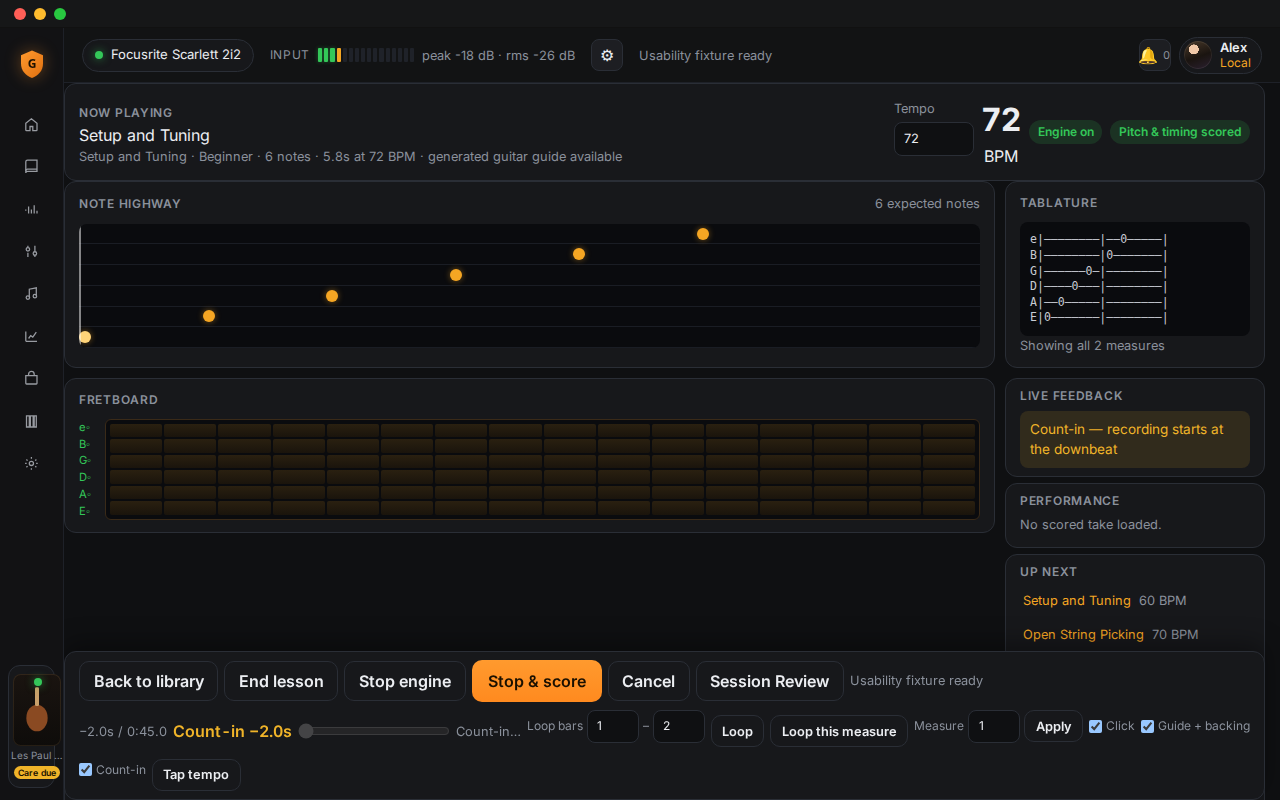
02One timeline for count-in, notation, guitar guide, recording, and scoring.
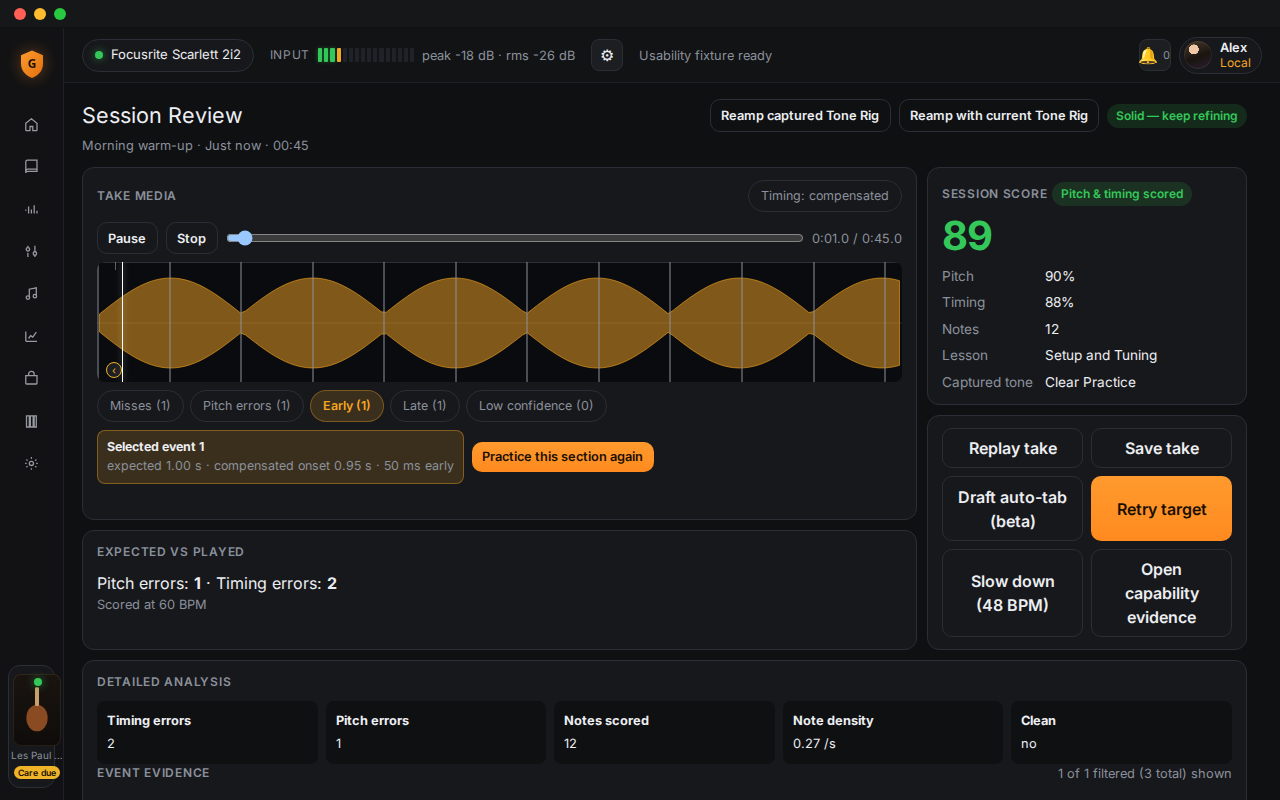
03Navigate event-level pitch and timing evidence, then retry the exact target.
04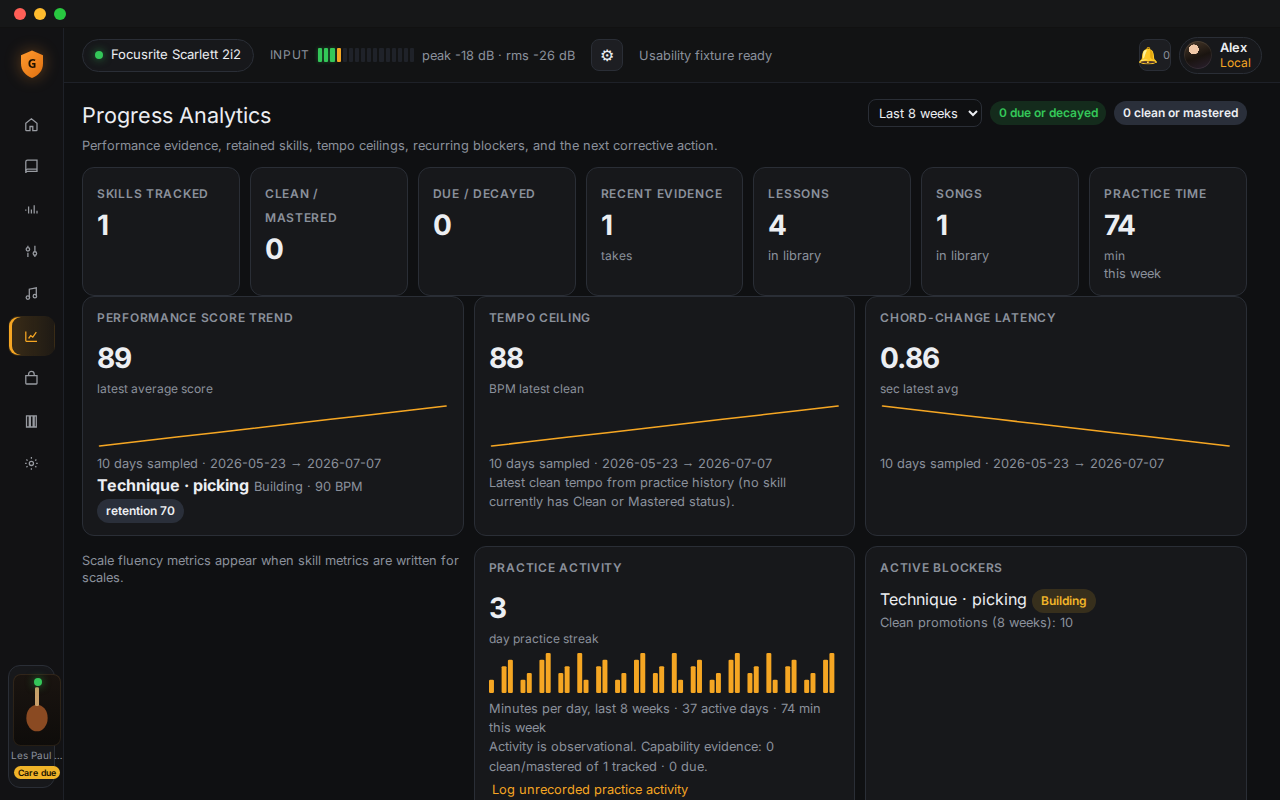
Track retained skills, tempo ceilings, recurring blockers, and due work.
Evidence, not vibes
Lesson-aware scoring compares the recorded performance with expected events. Session Review keeps raw and latency-compensated timing explicit and lets you route straight back to the target.
Preview and install MusicXML, MIDI, Guitar Pro 3–5, and ASCII tab. Imported material stays local and joins the same play, record, score, and review loop.
Explore lessons and importsRelease-ready content
Exact reviewed counts only. No commercial-song catalog claims.
Complete ≠ Clean ≠ Mastered
A completed lesson is not automatically clean, and a clean take is not permanently mastered. GuitarGod schedules retention work from measured performance, not from an animation or an XP total.
Read the GuitarGod MethodLocal-first privacy
Recordings, analysis, lessons, and progress stay on your machine. The practice loop works offline. No account is required to train. Optional later sync is designed as encrypted backup—not a public catalog of your library.
Marketing pages may use privacy-friendly analytics. The desktop app does not phone home for the practice loop.
Qualify the setup
GuitarGod is a desktop signal-and-evidence system. The direct input and wired monitoring path are part of the product—not optional fine print after download.
Plug directly into a class-compliant USB audio interface.
Native desktop app. Windows and mobile are not launch promises.
Use wired headphones or speakers. Bluetooth adds unsuitable latency.
One-time ownership
The launch hypothesis is $119 once, with a $79 founder cohort offer. The full trial runs for 14 days without a card. After that, a permanent free tier keeps the tuner, metronome, Audio Setup, one starter lesson, and recent-take access useful.
See pricing terms$79 one time
Questions
No. The core practice loop, analysis, recordings, lessons, and progress data stay on your machine and work offline.
An electric guitar, a class-compliant USB audio interface, a macOS or Linux computer, and wired headphones or monitors. GuitarGod is built for direct, low-latency practice—not a laptop microphone.
No. GuitarGod can compare expected notes and estimate pitch-class support with confidence, but it does not claim exact fingering or voicing from audio alone.
No. The Virtual Rig provides learning-aware wet monitoring while the original dry performance remains canonical and reampable. Practice evidence stays separate from tone.
No subscription is planned for launch. The tested offer is a one-time desktop license, with a full 14-day trial and a permanent free tier afterward.
Ready when your interface is
Join early access for the desktop trial path on macOS and Linux. Compatibility is explicit before download—no surprise hardware churn.